
A few weeks ago, a customer who operates our EMS system contacted us. He needed to communicate an old S7-200 PLC and get its data into our D2000 system.
The S7-200 was launched in 1994 (that's when I graduated and started studying at university) and was replaced by the S7-1200 after almost 20 years, in 2013. So it's an old technology that is robust and reliable enough to survive for a few more years.
Since the S7-200 only has a serial port, we need a communication converter to connect it to the D2000. We used the proven ACCON-NetLink-PRO compact compact from DELTALOGIC... which has since been acquired by Softing Industrial Automation.
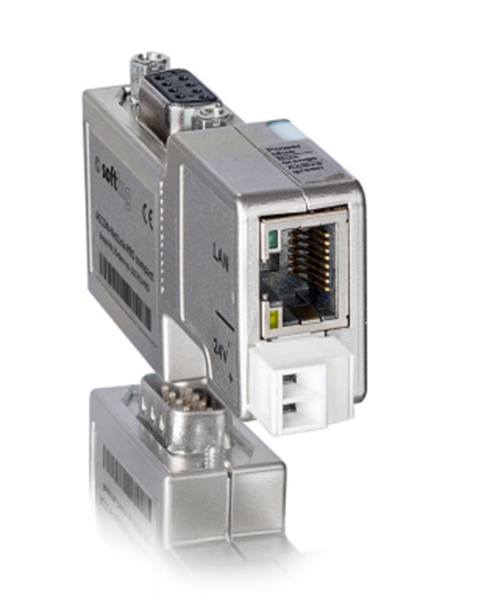
This converter supports multiple communication protocols. For our needs, we set the PPI (Point-to-Point Interface) protocol and the bit rate to 19200 baud. All parameters are configurable via the converter's web interface.
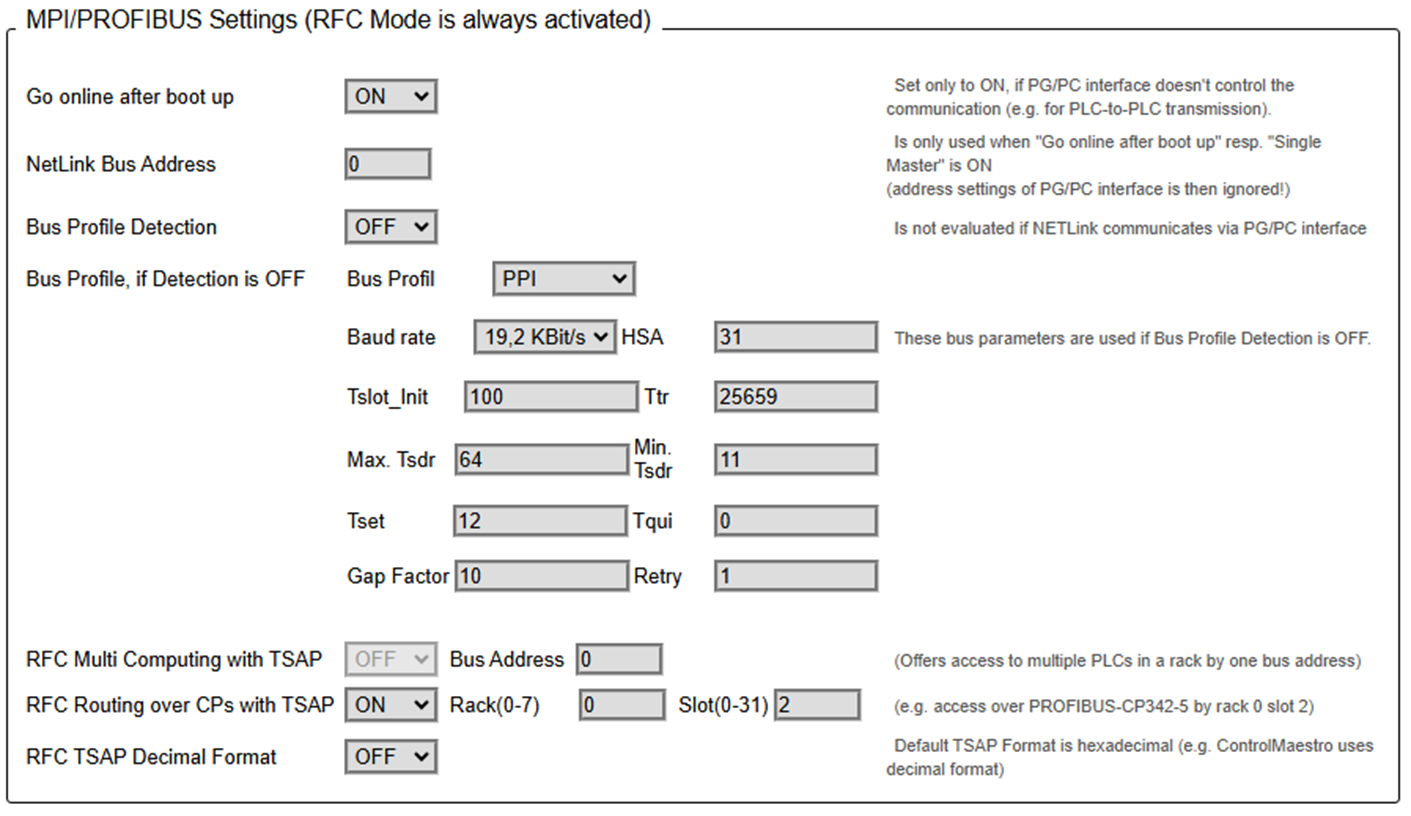
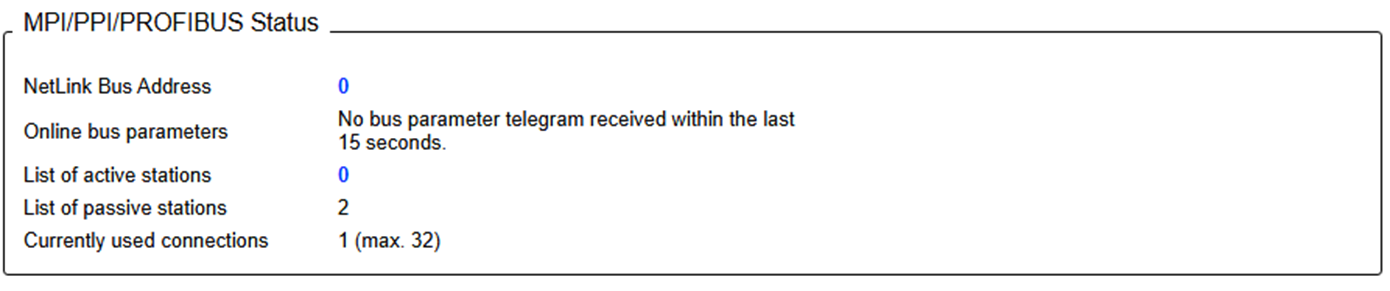
After connecting to the S7-200, the Status tab nicely shows that it detects a passive station with address 2, while the address of the converter itself is 0 (in the previous image configured as NetLink Bus Address):
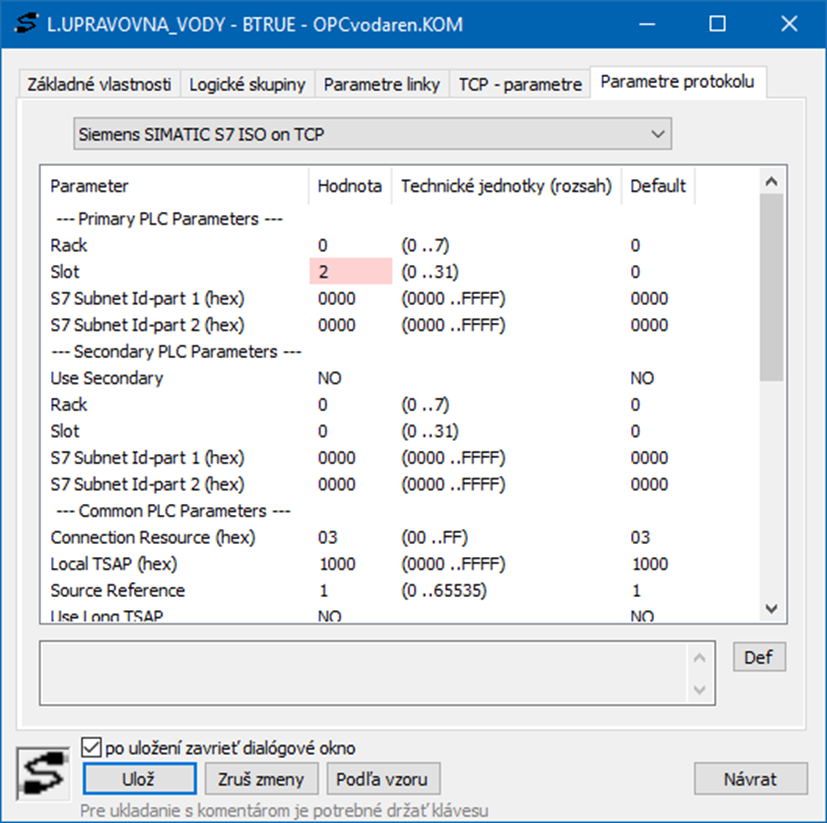
Address 2 corresponds to the D2000 address Rack=0 (default) and Slot=2 in the configuration of the communication parameters of the Siemens SIMATIC S7 ISO on TCP protocol on the communication line. We left all other parameters at the default values - only on the "TCP - parameters" tab it was necessary to enter the IP address of the converter.
The next step was to configure the I/O tags. The customer provided us with an address scheme in the following format:
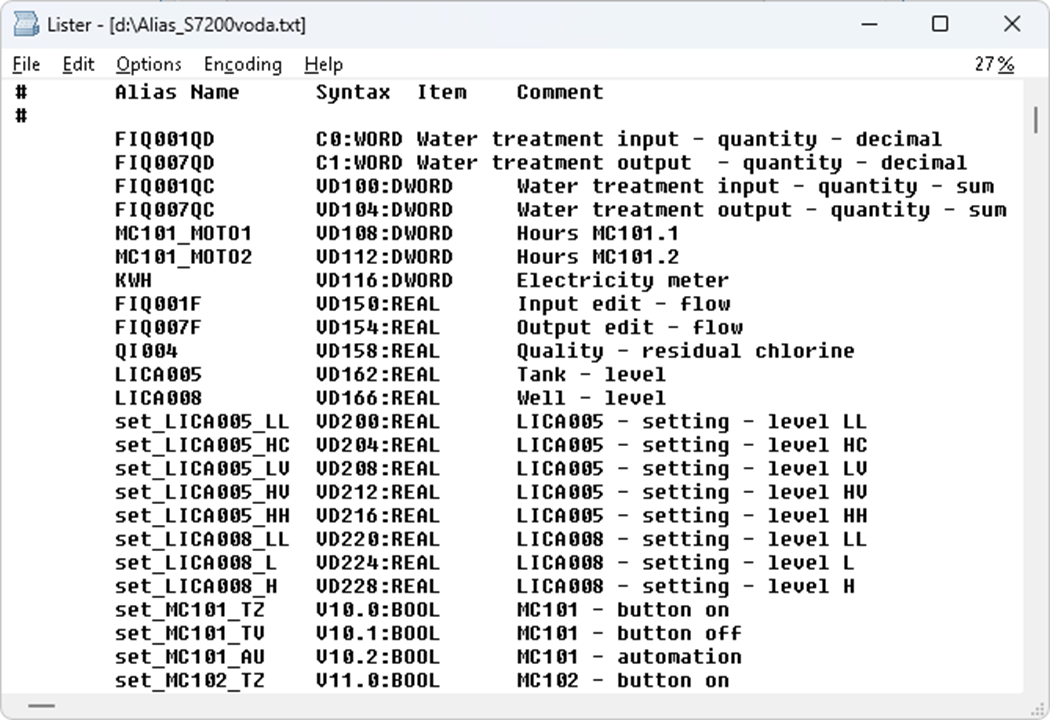
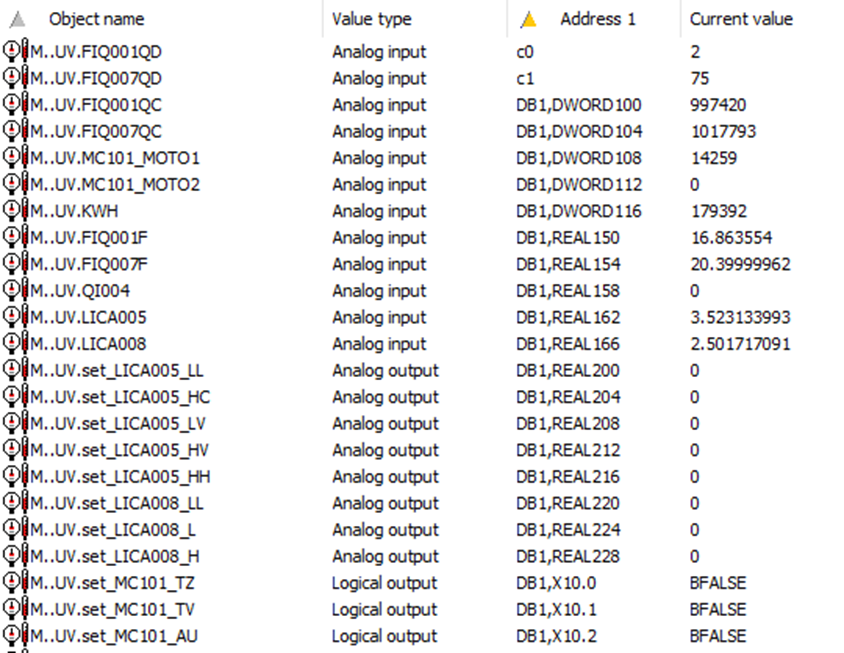
We have converted these addresses to Siemens SIMATIC S7 ISO on TCP protocol addresses quite quickly:
- The "VD" addresses are replaced by "DB1" (the converter simulates a configuration with a single data block)
- The converted types (DWORD, REAL) are preserved.
- BOOL variables (e.g. V10.0:BOOL) become individual bits of byte variables
Here are some examples of conversion:
|
Original address |
Address in D2000 |
Note |
|
VD100:DWORD |
DB1,DWORD100 |
DWORD (32 bits) on address 100 |
|
VD150:REAL |
DB1,REAL150 |
REAL (32 bits) on address 150 |
|
V10.0:BOOL |
DB1,X10.0 |
Bit (lowest) from a byte on address
10 |
|
V10.1:BOOL |
DB1,X10.1 |
Bit (second lowest) from a byte on
address 10 |
Paradoxically, we had the most problems with the simplest two addresses (C0:WORD and C1:WORD). These are counters, but reading the standard counters did not work and returned an error code. The standard counter, supported by S7-300 and higher series, is a BCD coded number from the interval 0-999. But S7-200 supports the so-called ISO Counter, which is a 16-bit integer. So we had to introduce a different symbol for configuration for it - and we chose a lowercase "c". And of course, implement reading of this data type.
In industrial facilities, we encounter equipment of various ages and origins. It is useful to be able to communicate with even the old “dinosaurs,” which often contain valuable data and, given their reliability, may remain in operation for decades to come. It’s good to know that the Ipesoft D2000 application server can handle even these challenges (with the help of devices such as the ACCON-NetLink-PRO compact converter, if needed).
May 25, 2026, Ing. Peter Humaj, www.ipesoft.com
