
In the past, I have already discussed M-Bus communication in a separate blog. Today I will describe the communication configuration using a new converter from JC Elektronika, which allows for secure communication. The company will soon launch a new line of Ethernet converters of the SECURE type. For the test, we were loaned the smallest type EthMBus-3SL SECURE for three M-Bus devices.
What is the announced security? Basically, these are improved (both hardware and software) and DIN rail-mounted converters that also support communication via a TCP connection encrypted with TLS1.2.
A battery-powered 1-channel pulse counter from Relay was connected to the converter during the test.
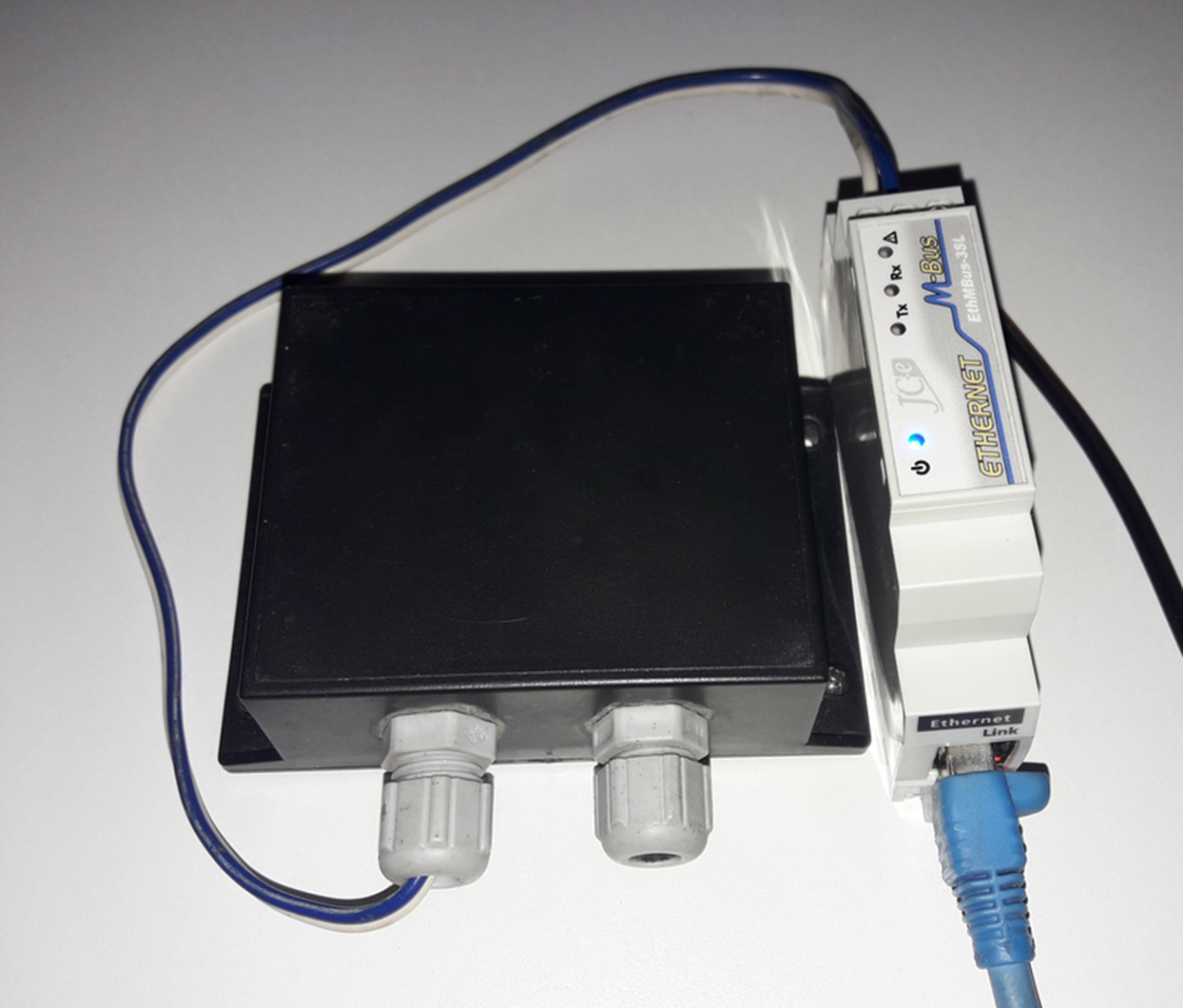
In the picture you can see the minimal width of the M-Bus converter; even the Ethernet connector on the bottom is 90° rotated to save some space.
This converter supports configuration via web interface (http and https), telnet and via XML file.
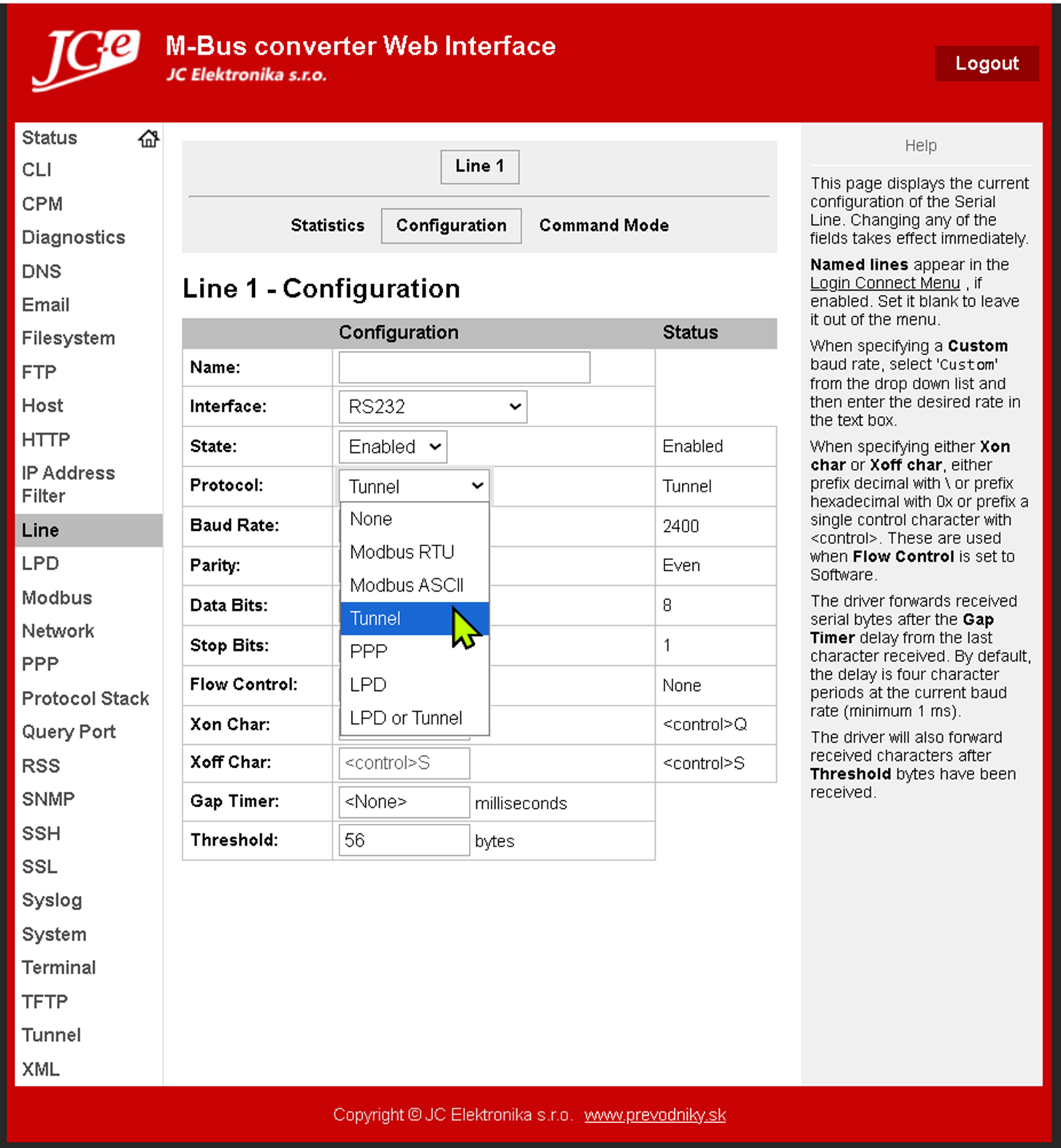
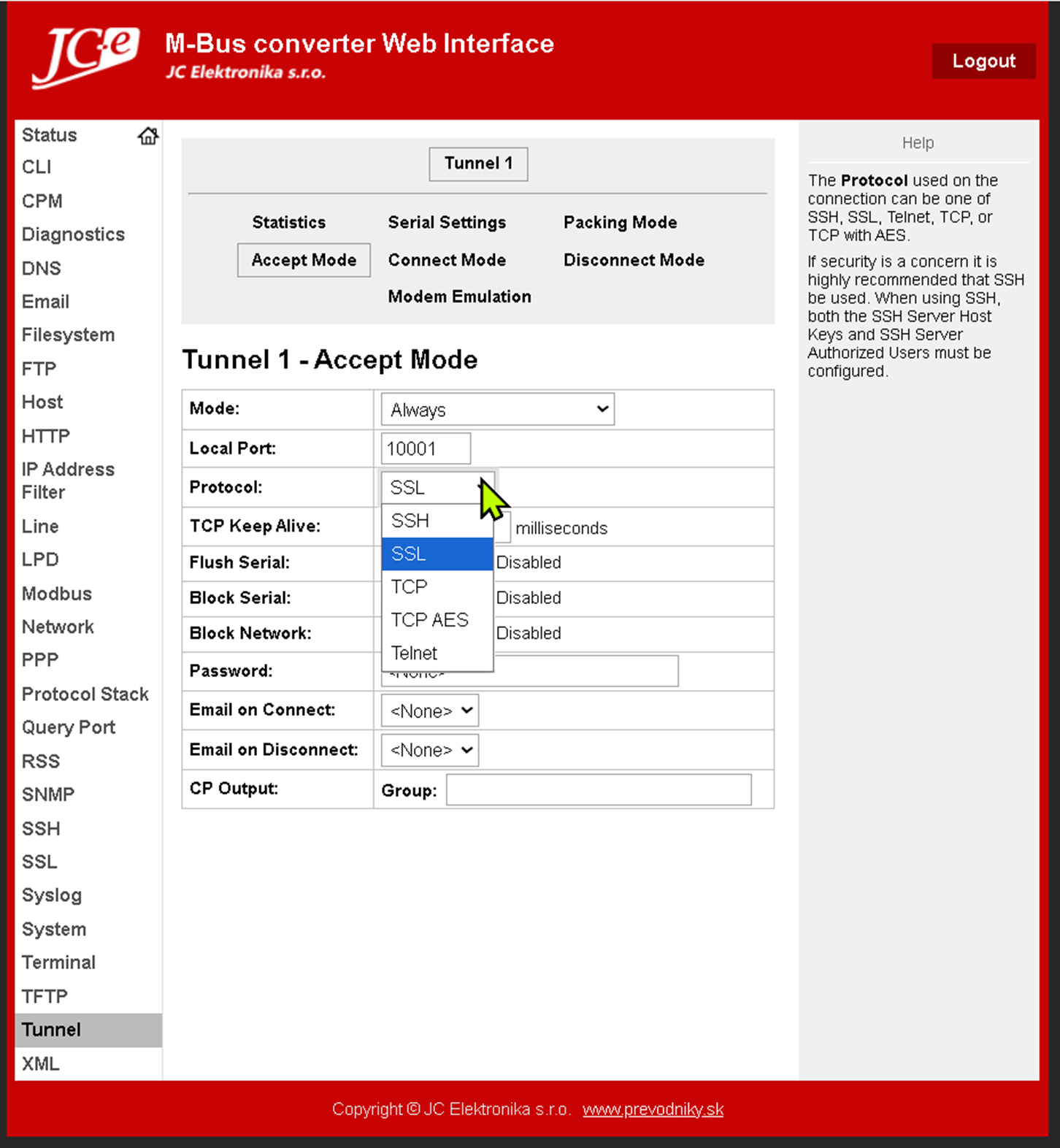
If the protocol is configured on the line as Tunnel, in the configuration on the Tunnel tab it is possible to set the parameters of this tunnel. To set the converter to server mode, select the Accept Mode menu, enable this mode (e.g. Mode = Always) and set the SSL mode as well as the TCP port number (in the picture 10001). SSH mode (encapsulation of SSH connection communication) is also supported.
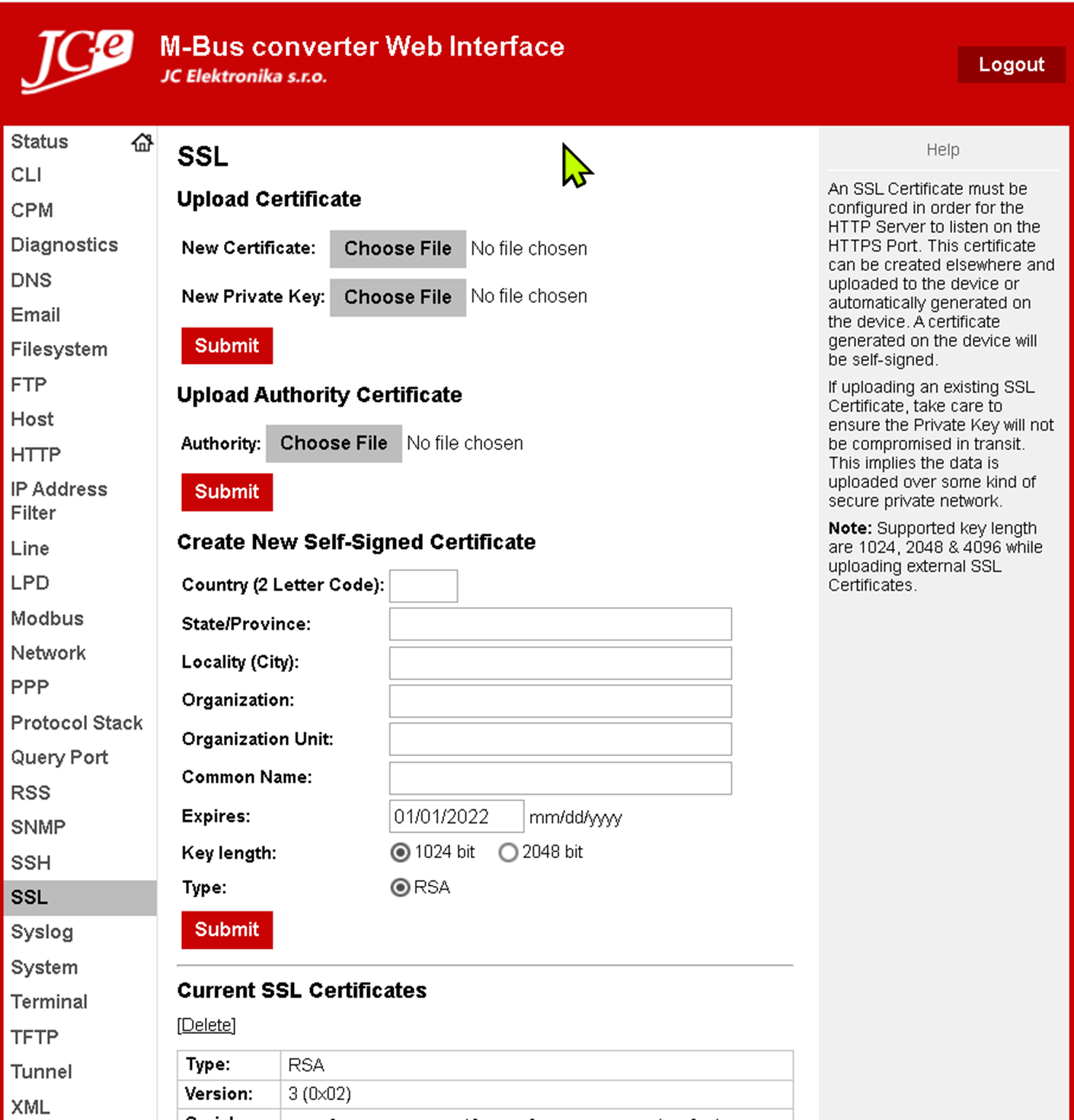
In the SSL tab, you can import a private key + certificate for the M-Bus converter, or you can generate it directly in the web interface. You can also import an authority certificate, which is required in client mode with server certificate verification. This allows the M-Bus converter to communicate only with a trusted server whose certificate matches the uploaded certificate. It is possible to upload multiple server certificates.
What does the communication configuration in D2000 look like in client mode?
In addition to the IP address of the M-Bus converter and the TCP port (10001), the client certificate and private key are also configured, as well as the M-Bus converter certificate (to verify trustworthiness and prevent man-in-the-middle attacks). We obtained this certificate from the converter using a web browser after connecting to it via the https protocol (the certificate is the same for https as for SSL communication). In production, we would generate and sign this certificate on a secure corporate server and import it into the D2000 and the converter (here also with the private key).
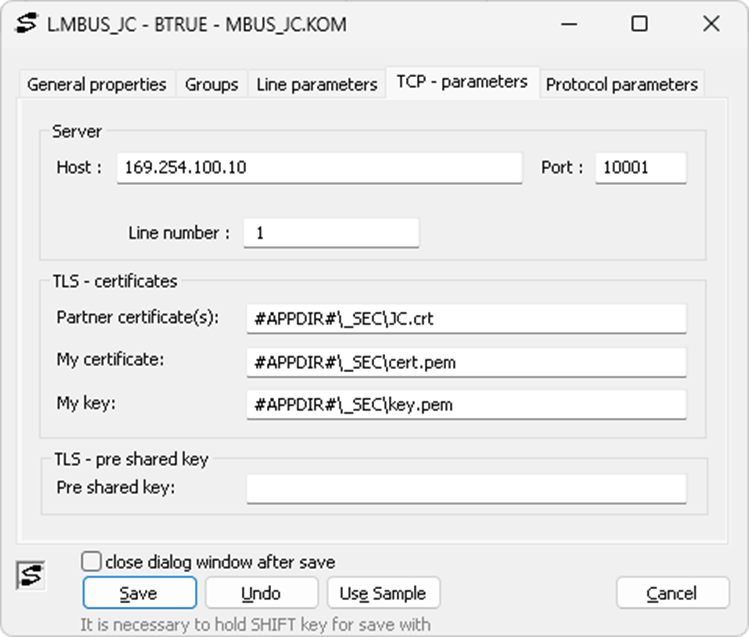
During the first communication test, we discovered one unexpected fact. OpenSSL version 1.3, which is used by the D2000 KOM process, had a problem with the older SSL implementation included in the M-Bus converter. The SSL connection was not established, but an error message was displayed:
L.MBUS_JC TLS connect error to 169.254.100.10, Message = unsafe legacy renegotiation disabled
For compatibility reasons, it was necessary to replace the current TLS 1.3 version (libcrypto-3-x64.dll and libssl-3-x64.dll) with TLS 1.1 (libcrypto-1_1-x64.dll and libssl-1_1-x64.dll). In the future, we need to consider how we could run the current TLS 1.3 (which may be necessary, for example, to connect to the D2000 Server if a secure TLS connection is required) and older TLS versions that may be required for individual communications in parallel within a single D2000 KOM process.
After the communication started, we discovered another minor problem. D2000 KOM was reporting messages about an unsupported 48-bit Integer value. So we improved the M-Bus protocol implementation and added support for 48-bit and 64-bit Integers.
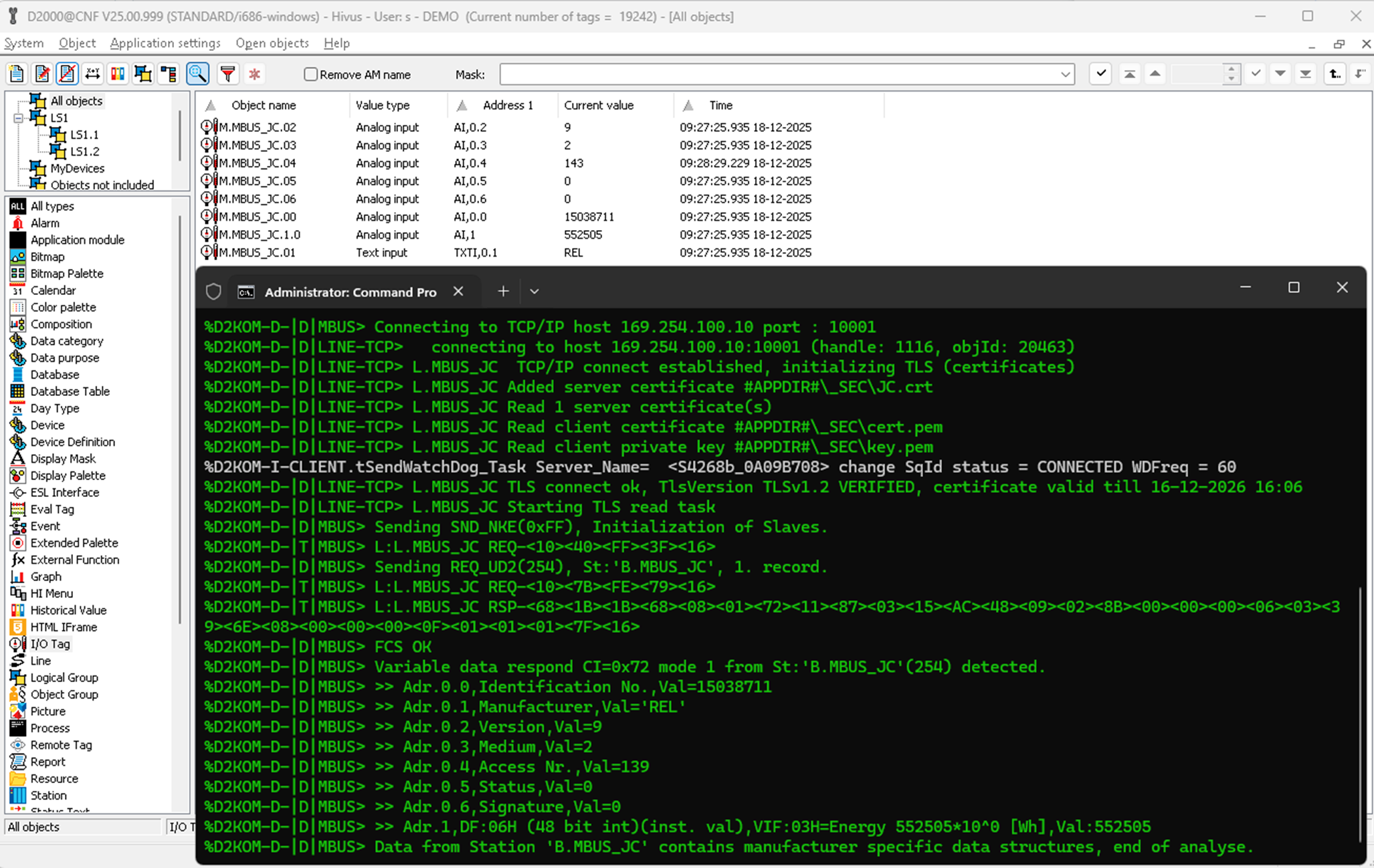
In the debugging logs, you can see listings of received data including the manufacturer identifier with address 0.1 (see I/O tag M.MBUS_JC.01):
Adr.0.1,Manufacturer,Val='REL'
The most important data, the energy value itself, is at address 1 (I/O tag M.MBUS_JC.1.0):
Adr.1,DF:06H (48 bit int)(inst. val),VIF:03H=Energy 552505*10^0 [Wh],Val:552505
Conclusion
Supporting TLS not only in the tested M-Bus converter, but also in various serial servers is certainly a step in the right direction – towards increasing the security of communication between meters and SCADA systems. And I am pleased that we are also ready for this step on the Ipesoft D2000 application server side and can configure TLS security on TCP/IP TCP and TCP/IP TCP Redundantlines.
I want to thanks to JC Elektronika for lending me the M-Bus converter and pulse counter and for the opportunity to create this blog.
December 18, 2025, Ing. Peter Humaj, www.ipesoft.com
